NorthPitch 1.0 · available now
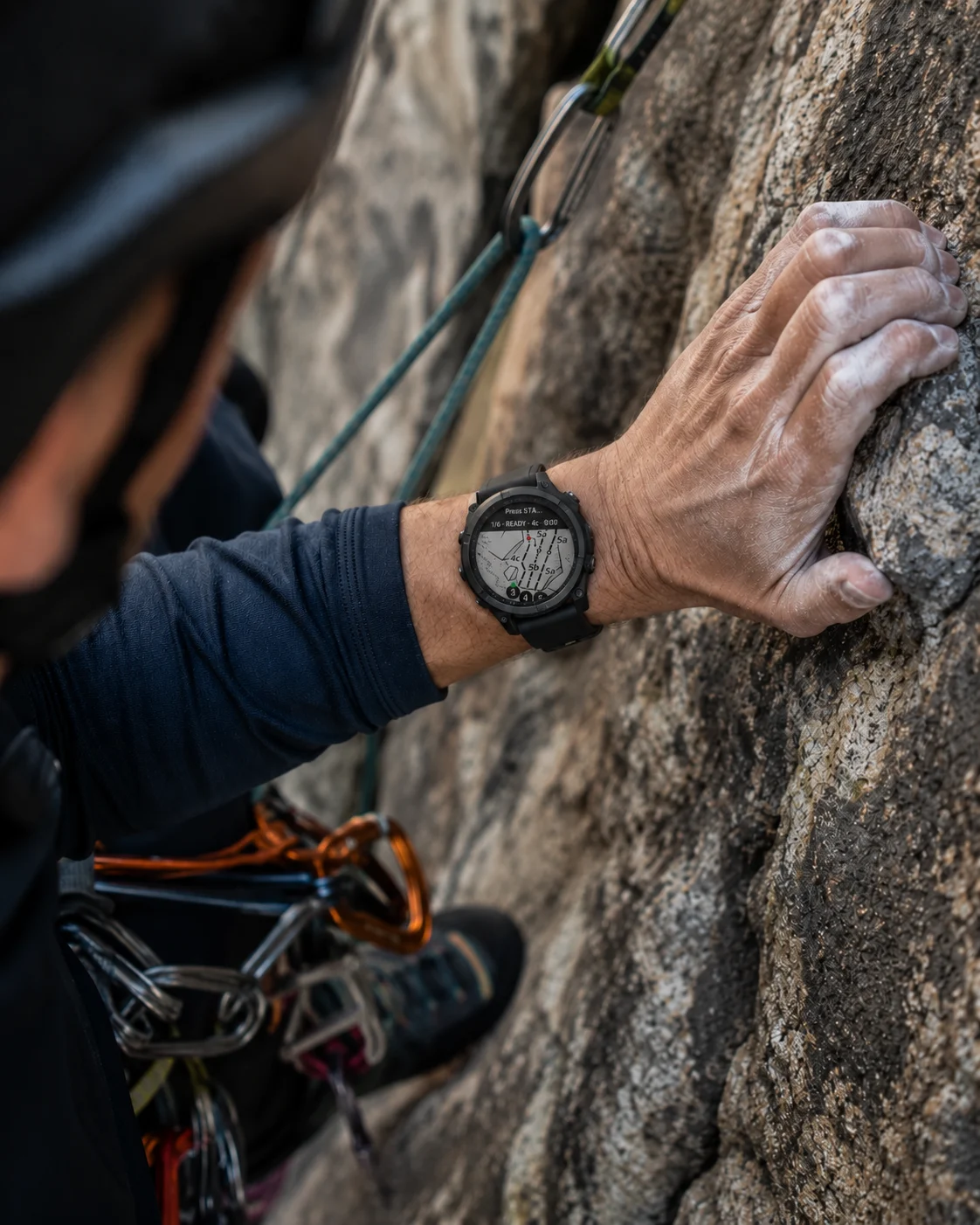
Topo maps for multipitch climbing, on your Garmin.
Prepare your topo in the Companion. Download it to your Garmin. Keep every pitch on your wrist, even offline.
Free to use. Garmin app + web Companion.
How NorthPitch works
01
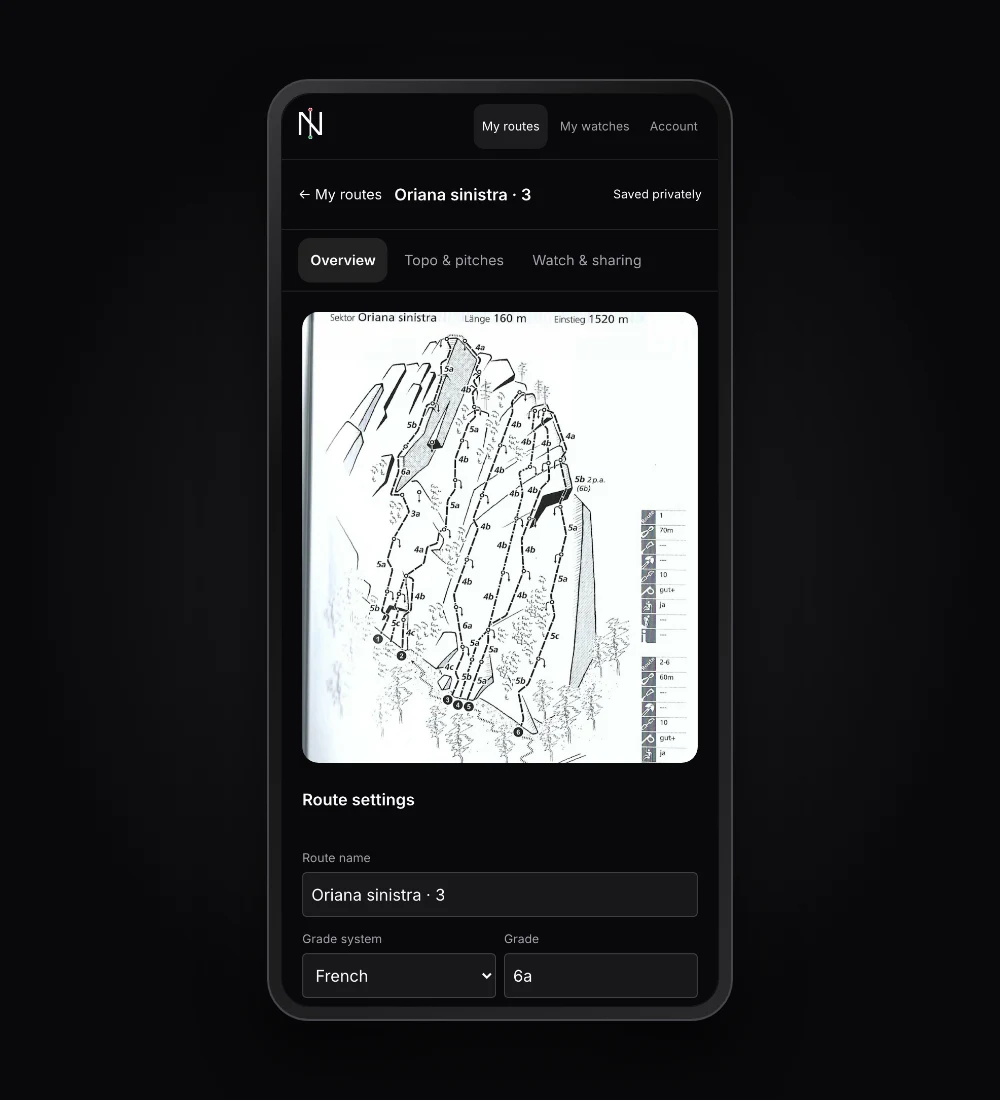
CaptureStart with the topo you already have.
Import a photo or image of your topo into the Companion. Keep your route preparation together, ready for the next climb.
02
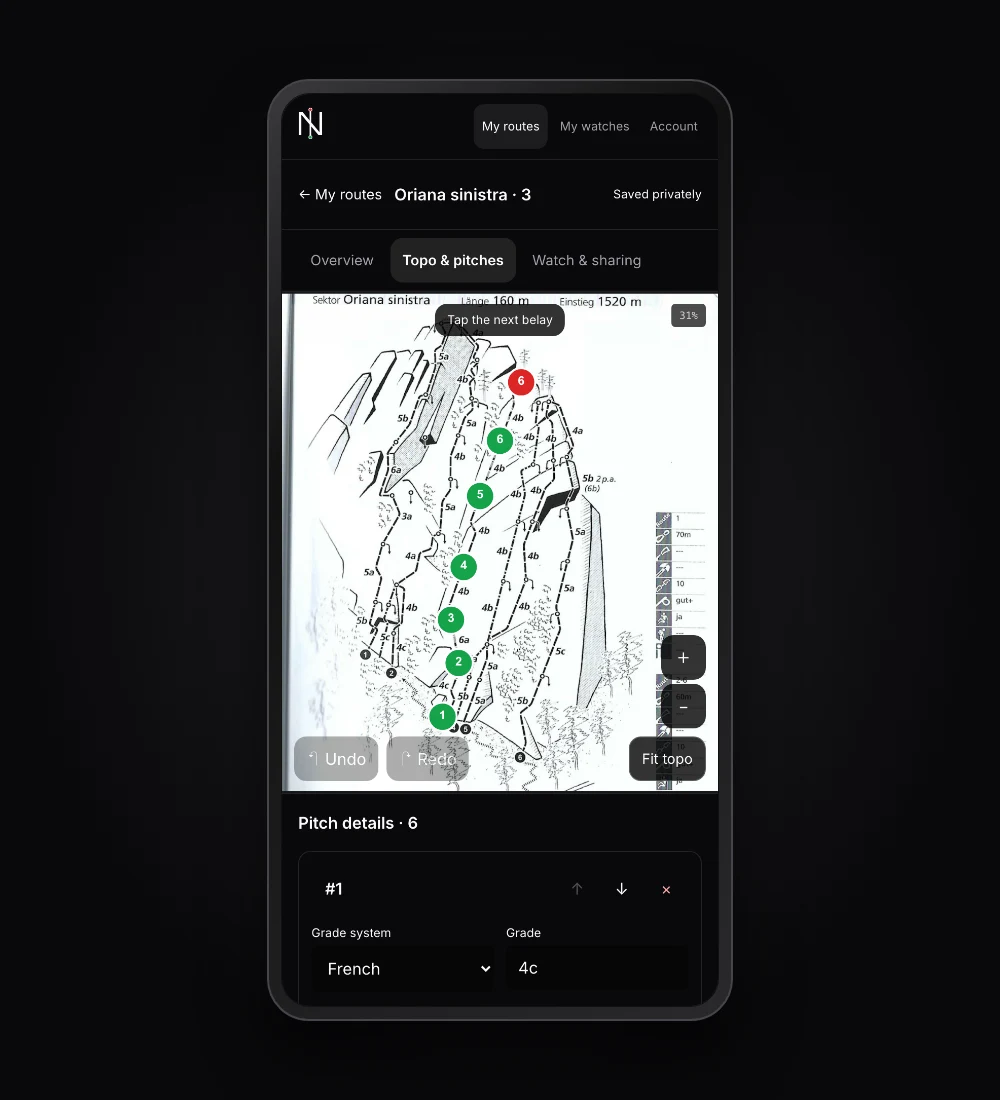
MarkMark the start. Mark the anchor.
Place the start and anchor of each pitch on your topo. Green marks the start; red marks the anchor.
03
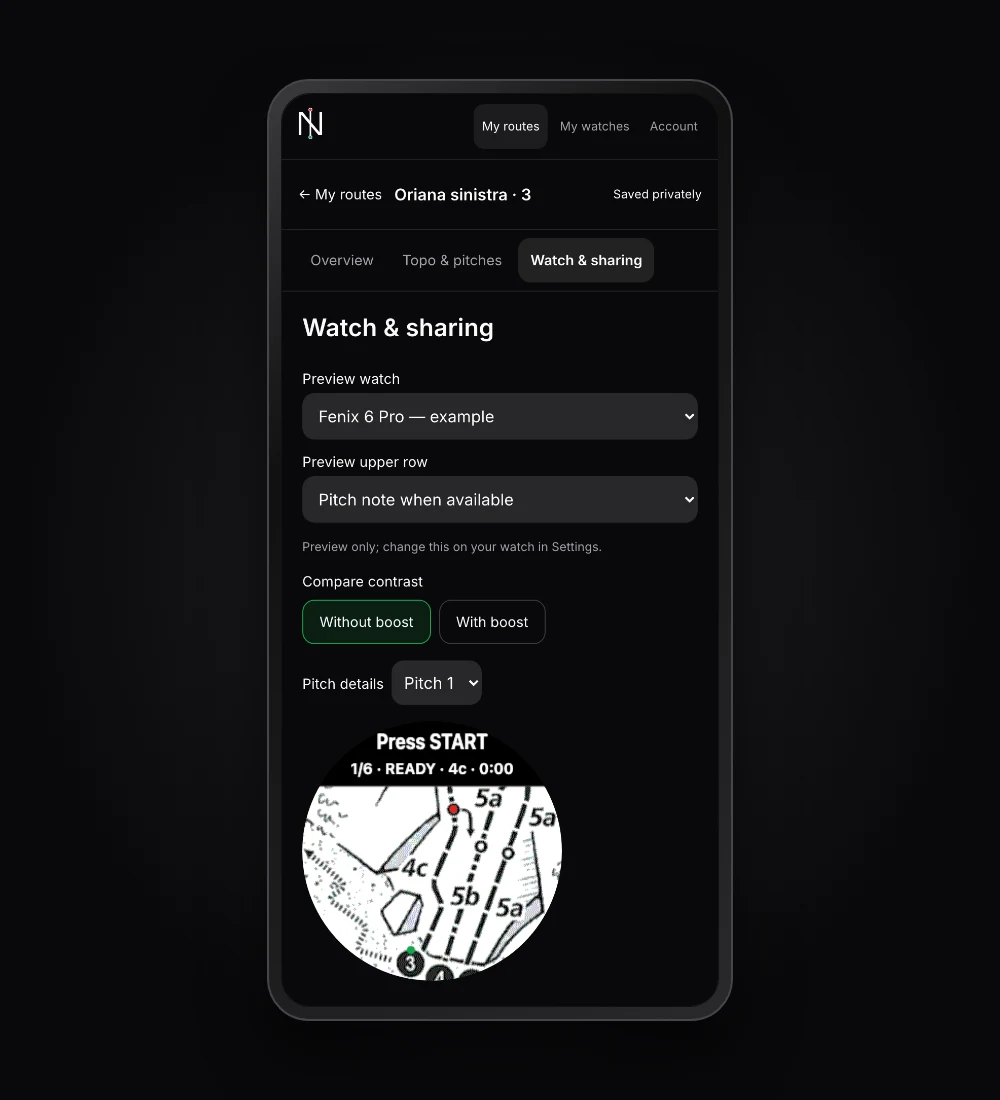
Detail & PreviewPrepare each pitch before you go.
Add grades, lengths, gear and notes. Check the watch preview, then prepare the route so it is ready to download on your Garmin.
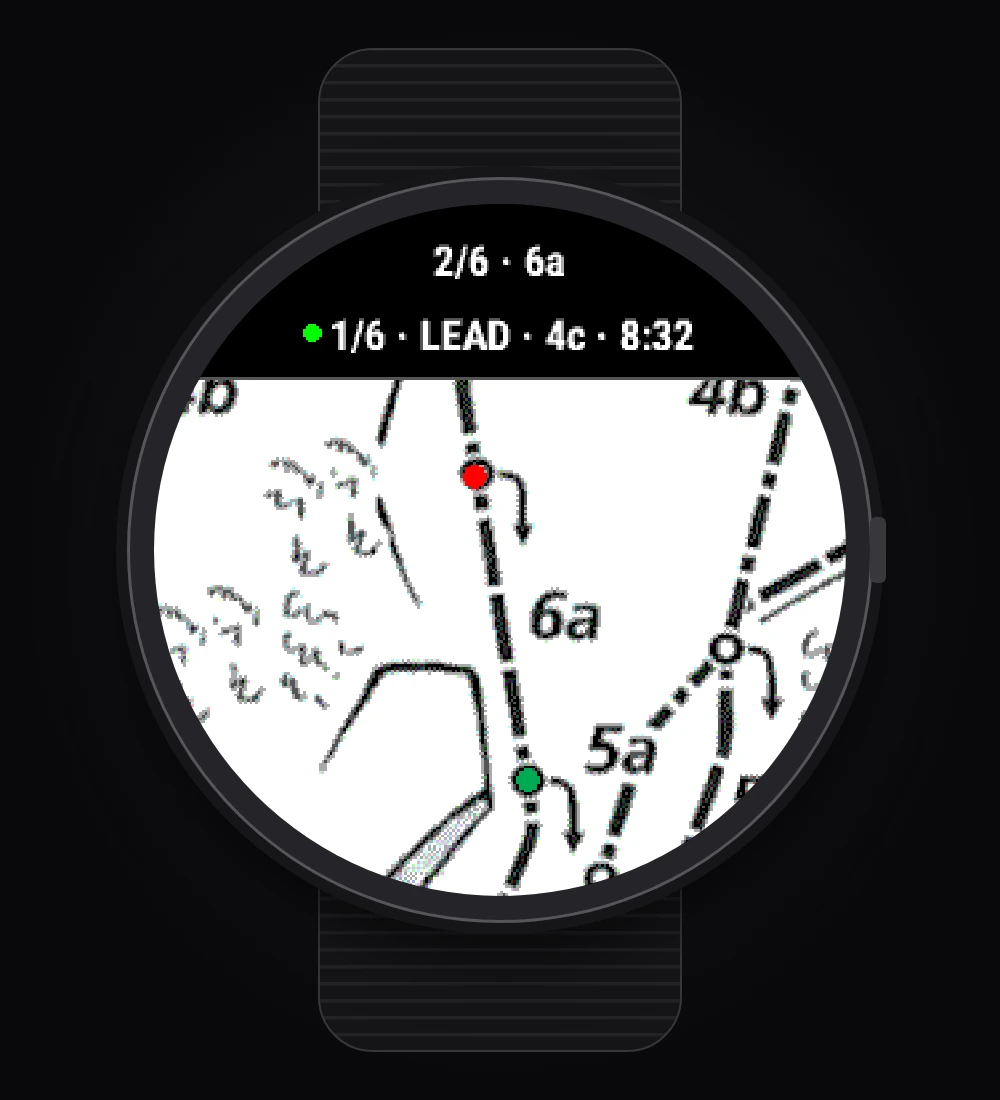
04
ClimbTopo on your wrist. Pitch by pitch.
Download before you leave coverage. Browse your topo on the watch and confirm completed pitches to record laps during your climb.
Prepare at home. Climb with Garmin.
Garmin Watch App
Your topo, on the wall.
- View downloaded topos offline on your watch
- Keep pitch grades, lengths, gear and notes close
- Confirm each pitch to record it as a lap
- Record your climb and review pitch timings
Companion Web App
Everything ready before you climb.
- Import a topo and mark pitch starts and anchors
- Add details, preview and prepare for your watch
- Share prepared routes privately by email invitation
- View saved routes offline, read-only
Both apps are free to use. Create a Companion account and get started.
Check compatible watches on Connect IQ ↗Before your first climb
From installation to the first pitch.
Install on Garmin
Get NorthPitch from Connect IQ on a compatible watch.
Create your account
Open the Companion on your phone or computer and sign in by email.
Pair your watch
Open NorthPitch on your watch. Enter its four-digit pairing code in the Companion’s watch settings.
Prepare and download
Import your topo, mark the pitches and prepare the route. Download it from NorthPitch on your watch while connected, then check it before heading out.
A few things before you climb.
Which Garmin watches are supported?
See the compatible devices list on the NorthPitch Connect IQ page for your exact model. Support varies by watch.View compatible devices ↗
Do I need an internet connection on the climb?
Download your route to the watch before leaving coverage. Installed routes can be viewed offline. You need a connection to sign in, pair, prepare and download routes. The Companion also lets you view previously saved routes offline; editing and sharing require a connection.
Is NorthPitch free?
Yes. The Garmin app and the web Companion are free to use at launch.
Are my topos public?
No. Your routes are private. You choose who can view prepared routes through email invitations. Invited climbers cannot edit your draft or reshare it. Removing access takes effect when devices reconnect; it cannot erase a disconnected watch copy.
I used an earlier version. How do I start with 1.0?
Version 1.0 starts fresh: earlier accounts, routes and pairings do not carry over. Clear NorthPitch’s browser or installed web-app data, clean-install the production Garmin app, then create an account, pair again and prepare and download your routes anew.
Your own topo.Ready for your next climb.
Get NorthPitch on your Garmin, then prepare your first route in the Companion.
Free to use. Open to everyone.
Enjoying NorthPitch? Help keep it free and growing for fellow climbers.
Support NorthPitch